Fix Rejected Patent Drawings USA: Common Errors & Solutions
Patent drawings are a vital part of a patent application in the United States. Patent drawings visually represent an invention, helping the patent examiner understand how it works. However, many patent applicants in the US face a common problem: rejected patent drawings.
If patent drawings do not meet USPTO drawing standards, the patent application process can be delayed, rejected, or require costly changes. In this article, you'll learn what to do with rejected patent drawings in the US, what common mistakes are, and how a patent expert can help you improve your patent drawings.
Many inventors also assume that any type of technical sketch will be acceptable for their patent application. However, this is not the case, as the USPTO also has very strict requirements for patent drawings.
The most common reasons for patent drawing rejections are:
When patent drawings are rejected, the USPTO issues an Office Action outlining exactly what is wrong and what changes are needed.
When the USPTO rejects patent drawings, it may create some issues for inventors and businesses. Most inventors and businesses are unaware of the significance of proper patent drawings in their patent applications. If patent drawings are not in the proper format, it may delay the patenting process.
One of the biggest issues inventors face in the patenting process is unexpected delays in their patent applications. When inventors face such issues in their patenting process, it is recommended to know how to correct rejected patent drawings in the USA.
Most inventors want to save on costs by preparing their drawings or using cheap illustrators who are not conversant with USPTO guidelines. This, in most cases, results in rejection of the drawings.
When this happens, inventors are often forced to hire professional illustrators to correct their drawings.
Other costs may include:
These unexpected expenses can increase the overall cost of a patent application.
The USPTO guidelines for patent drawings are very detailed, and most inventors, especially new ones, find them difficult to understand.
Most inventors are often confused after their drawings are rejected, not knowing what exactly is wrong with them.
Typical confusion areas include:
Without proper guidance, applicants may submit incorrect revisions, leading to another rejection.
A major problem also arises when patent drawings do not match the written description of the invention. Every part of the invention must have a reference numerically that is clearly visible in both the drawings and the patent specification.
When the two sections do not match, the examiner may question the clarity of the invention.
Problems that arise include:
This can confuse the examination and weaken the patent application.
If the corrected drawings still do not conform to the USPTO requirements, the examiner will issue another office action requiring changes.
Some problems that occur when there is a risk of multiple office actions:
The purpose of drawings is to enable the examiner to understand how the invention works readily. The problem with drawings that are not clearly explained is that they make it difficult to understand the invention.
Some problems that occur when there is difficulty explaining the invention clearly:
For innovators and startups, time is valuable. Therefore, when the drawings are rejected, the innovator must spend valuable time making corrections and resubmitting them.
Time is taken away from:
For this reason, many innovators choose to hire patent experts to ensure that the drawings comply with USPTO requirements from the outset.
When the patent drawings are rejected, it doesn't mean the patent application has been rejected in its entirety. In most cases, the USPTO wants corrections to patent drawings to comply with the official requirements. By closely examining the rejection notice and following the steps to correct the patent drawings rejection, the inventor can go through the patent approval process.
Here is a step-by-step guide for US professionals on correcting patent drawing rejections.
The first step is to study the Office Action Notice sent by the Patent Examiner.
This notice explains the reasons for the rejection of the patent drawings and the corrections required.
Inventors should pay close attention to comments regarding errors in the patent drawings.
Common errors reported in the Office Action Notice include:
By understanding the examiner's comments, corrections can be made accordingly.
Once the Office Action has been reviewed, the next step is to examine the drawing and identify the errors that need to be corrected.
At times, the rejection may have identified several errors in the drawing. However, there could be other errors in the drawing as well. It is best to correct all errors at once rather than risk a second rejection.
Some of the things that have to be checked include:
This step is crucial to ensure the corrected drawing is fully compliant with USPTO requirements.
After all the issues are identified, the drawings are corrected or recreated. This process requires precision, as even minor mistakes can result in rejection of the patent.
While carrying out this process, the Illustrator guarantees that the drawings are:
In compliance with USPTO format requirements
Most likely, the drawings are recreated using illustration software to ensure they are officially correct.
Patent drawings must be exact copies of the details found in the corresponding patent specifications. Each corresponding item shown in the drawing must correspond to the reference number located next to it in the specifications.
Before proceeding with changes, confirm that:
This step is critical to ensuring that the invention is accurately described at the time of patent determination and to avoid confusion about its definition when reviewed by patent examiners.
Once the figures have been corrected, the new drawings can be placed on new sheets that conform to the USPTO's formatting requirements.
These sheets must contain the following:
The new sheets must be clearly marked as replacements.
The corrected drawings must be submitted along with the response to the Office Action.
The submission must contain the following:
The response must be sent before the USPTO's deadline, which is three months from the date the Office Action was received.
Most inventors attempt to correct patent drawings themselves, but this only results in more mistakes.
Patent illustration services are companies that specialize in creating USPTO-compliant patent drawings.
Patent Experts, for example, offers accurate patent drawings that meet USPTO requirements.
Benefits of Using a Professional Patent Drawing Service
• Expertise in USPTO patent requirements
• Quick correction of patent drawings
• Accurate patent drawings
• Consistent patent drawings with patent claims
• Avoidance of repetitive mistakes in patent drawings
A professional patent illustrator also has special tools to ensure that patent drawings are not distorted even after downsizing.
This significantly increases the chances of USPTO patent approval.
To correct the drawings, technical precision and a good understanding of USPTO drawing standards are essential. Professional patent illustrators employ advanced technology to ensure corrected drawings are clear, accurate, and compliant with USPTO requirements.
Proper tools and techniques are essential in avoiding repeat rejections while ensuring drawings are clear, accurate, and compliant with USPTO requirements.
Patent illustrators use a variety of tools to produce accurate technical drawings for patents. These tools are essential for ensuring line clarity, proper formatting, and drawing scaling.
• AutoCAD
AutoCAD is commonly used for technical and mechanical design, enabling the creation of accurate, detailed patent illustrations.
• Adobe Illustrator
Adobe Illustrator is commonly used to improve patent illustrations by maintaining sharp edges in line drawings.
• CorelDRAW
CorelDRAW is useful for creating structured patent diagrams and editing existing diagrams while maintaining high image quality.
• SolidWorks
SolidWorks is commonly used for engineering design, which helps convert 3D designs into clean 2D patent illustrations in Illustrator.
• Vector Graphics Editor
Vector tools are useful for transforming rough sketches into professional line drawings for patent illustrations, as required by the USPTO.
Drawings that don't adhere to formatting standards—such as having inappropriate margins, ambiguous lines, missing reference numbers, or incorrect figure labelling—are rejected by the USPTO.
Indeed. In response to a USPTO Office Action, you may submit updated replacement drawings.
An Office Action usually gives applicants three months to reply. There may be a cost for extensions.
No, as long as the invention's content doesn't change, editing drawings often doesn't affect the filing date.
Indeed. Expert patent illustrators can accurately revise designs and understand USPTO regulations, reducing the likelihood of rejections.
Correcting rejected patent drawings requires a thorough understanding of the USPTO requirements for patent drawings. For many inventors and businesses, it has been difficult to correct patent drawing errors on their own since the requirements for patent illustrations are very strict. For this reason, many patent applicants turn to patent experts for assistance with rejected patent drawings in the USA.
The following are the main reasons for choosing Patent Experts when it comes to correcting rejected patent drawings:
Key Reasons Inventors Choose Patent Experts
• Deep Understanding of USPTO Drawing Standards
Patent Experts adheres to all USPTO standards for margins, line quality, reference numbers, shading, and figure formats, ensuring corrected drawings comply with patent office standards.
• Experienced Patent Illustrators
Patent Experts has a team of experienced patent illustrators who specialize in creating technical drawings for a range of industries, including mechanical, medical, and electronic inventions.
• Fast Turnaround Time
Rejection of drawings necessitates a quick turnaround time to ensure compliance with Office Action deadlines, which patent experts meet efficiently.
• High-Quality Technical Illustrations
Using advanced illustration software, the team creates clear, precise illustrations that accurately depict the invention.
• Reduced Risk of Repeated Rejection
By reviewing the illustrations for compliance, the risk of rejection due to illustrations is minimized.
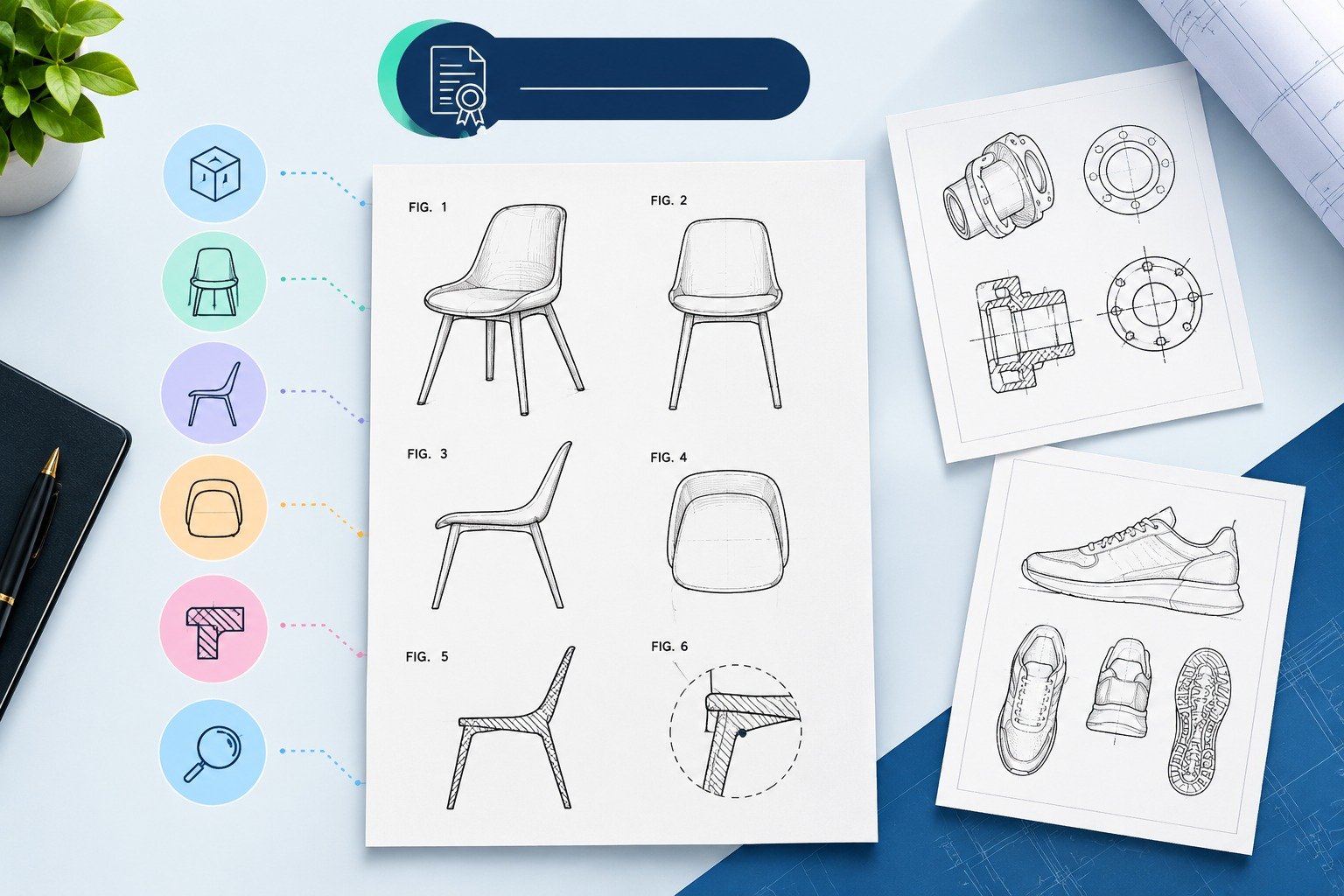
• Various Types of Patent Illustrations
Patent experts can correct and improve various types of patent illustrations, including
• Consistent Reference Numbering
The entire invention is correctly referenced, and the drawings are consistent with the written patent specification.
• Cost-Effective Solutions for Inventors and Startups
Patent Experts offers affordable drawing-correction services for independent inventors and small businesses.
Patent drawing rejections can delay patent approval and impose unwanted costs on the inventor. The reason behind many such cases is that the drawings do not comply with the USPTO formatting guidelines and technical illustration guidelines. However, by adopting some key guidelines, the problem of drawing rejection can be mitigated.
Some useful tips that can help avoid the problem of drawing rejection in the future are as follows:
• Adhering to the USPTO Margin Requirements
Patent drawings should be formatted in accordance with the USPTO's requirements. Incorrect margin requirements are the most common reason for the rejection of patent drawings.
• Clear Black Line Drawings
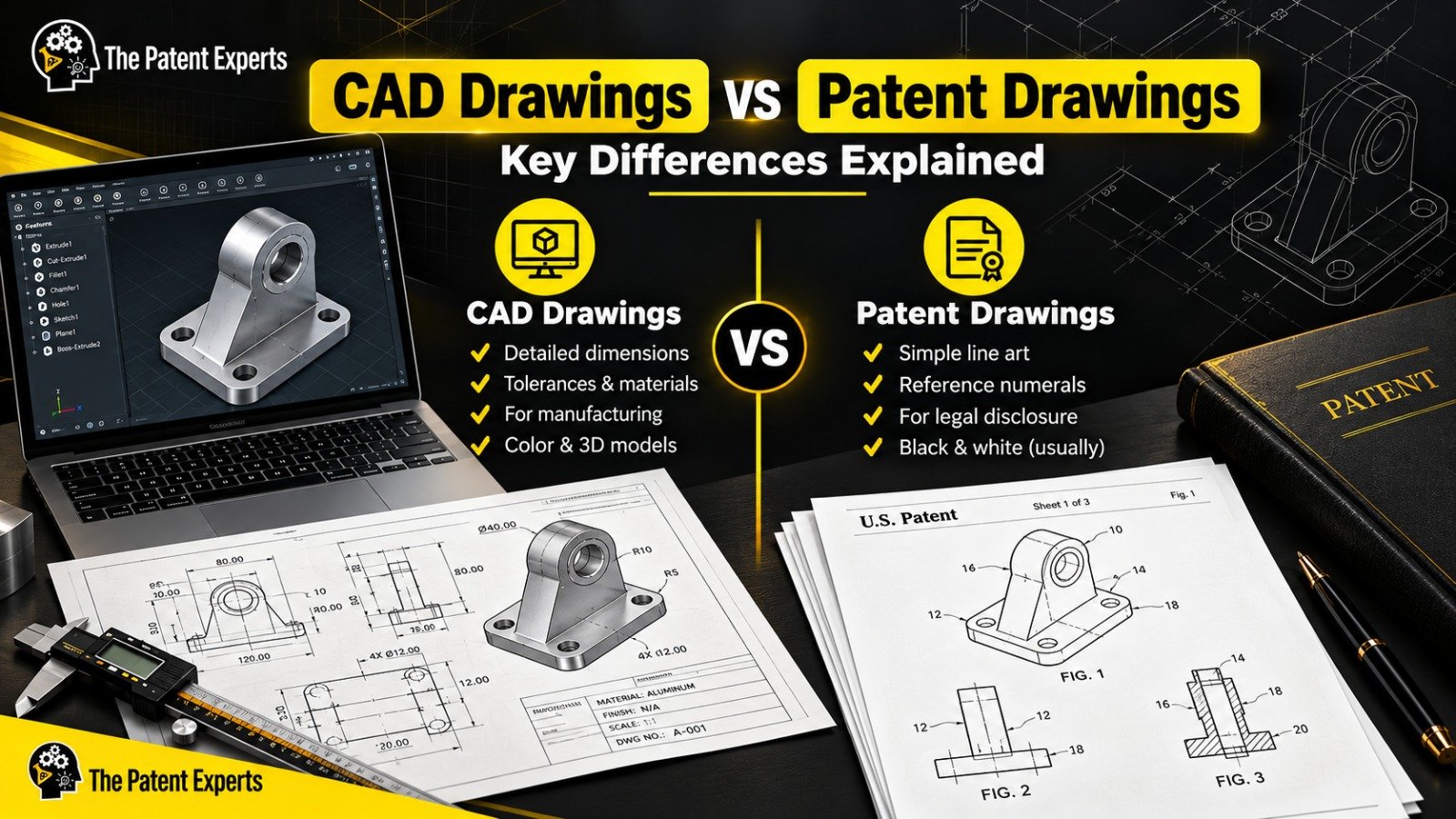
Patent drawings should be rendered in clear black lines on a white background. Images should not be coloured or sketches.
• Reference Numbers Matching the Specifications
Each component of the invention should be assigned reference numbers that match the specifications provided in the patent.
• Showing All Views of the Invention
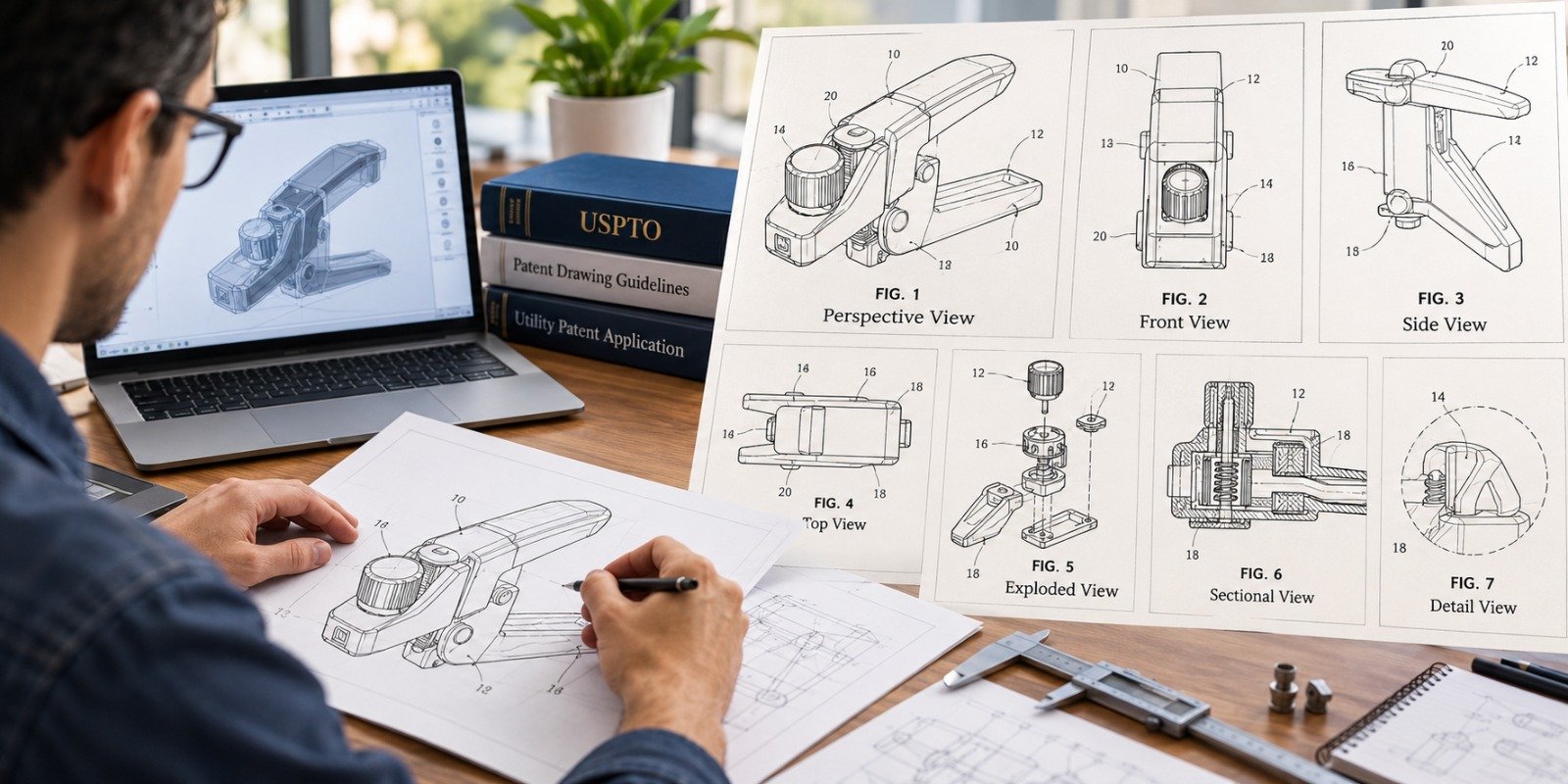
Patent drawings should include different views of the invention if necessary. This can include a front view, a side view, a cross-section, or an exploded view.
• High-Quality Images Only
Using screenshots can result in poor image quality when resized. This can cause the image to look poor.
• Simple and Clean Drawings
Patent drawings should not be cluttered with unnecessary information. Only the essential components of the invention should be included.
• Using Professional Drawing Software
Technical illustration software can be used to create patent drawings that meet the Patent Office's requirements.
• Review the USPTO Drawing Guidelines before submitting
Reviewing the USPTO guidelines for drawings before submitting the patent application can help avoid many common mistakes.
• Consider professional patent illustration services
Hiring a professional patent illustrator can ensure that the drawings comply with USPTO regulations and accurately depict the invention.
Patent drawings are an essential component of a patent application, as they provide visual explanations of how the invention functions. If the patent drawings do not meet USPTO standards, they may be rejected, which could delay the patent examination process. However, patent drawing rejections are common and can be easily addressed by understanding the examiners' feedback and implementing the necessary improvements.
To avoid patent drawing rejections in the future, inventors need to understand the most common reasons for rejections, adhere to USPTO drawing standards, and maintain consistency between drawings and patent specifications, focusing on accurate, proper drawings that assist patent examiners in easily understanding the invention.
However, for applicants who do not want to go through the hassle of corrections and delays, working with professionals can be very beneficial. Patent Experts is a company that provides services in the preparation and correction of USPTO-compliant patent drawings. This would be very useful for inventors looking to overcome the challenges of patent drawings.
Well-created and presented patent drawings not only eliminate the risk of denial by the USPTO but also enhance the overall patent application by visually representing the invention's structure and function.

At “The Patent Experts” our team specialises in turning complex concept and ideas into exact complaint patent drawings that meet the stringent guidelines of USPTO, EPO, WIPO among other major patent offices around the globe. With over 5+ years of experience, our team of skilled illustrators are efficient in producing high quality utility designs and trademark patent drawings. By combining cutting-edge technology with a deep understanding of global patent regulations, we ensure every drawing we create is ready for seamless submission and approval.
Quicks Links
Get in touch
Our phone number
Our email address
© 2026 The Patent Expert's All Rights Reserve
Made with ♥ by Website99