How to Check If Your Idea Is Already Patented
You have a concept that seems unique in its nature. It may address some issue in an innovative way, add functionality to an existing product, or create a combination of common elements into a unique solution.
And then follows the most common question asked by each inventor:
“Is there a way to determine whether my idea is patented or not?”
The solution is not just entering your concept into Google and finding the corresponding product there.
Proper patent search requires you to search for existing patents, patent applications, technologies, and any other prior art that can influence the novelty of your invention.
And the great news is that an inventor himself can conduct a preliminary search of his invention with the help of such free sources as the USPTO Patent Public Search database and Google Patents.
The problem, however, lies in understanding how to conduct the search and what to search.
This guide will help you conduct a successful search.
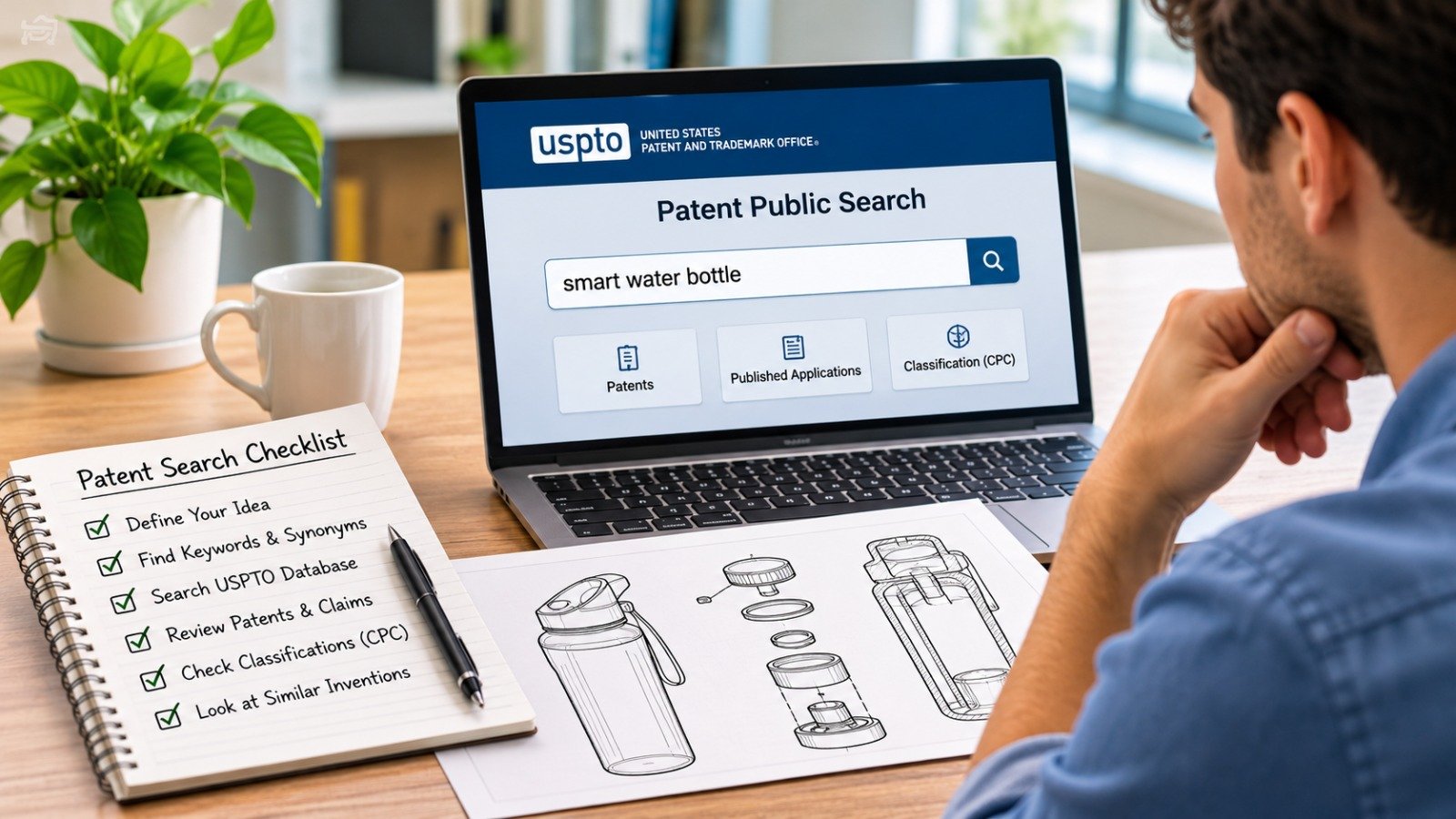
To determine whether your idea might be patented, first describe your invention in simple terms and outline its most significant characteristics. Conduct a search in the USPTO Patent Public Search Database through a variety of keywords, synonyms, inventor names, and classifications.
Do not limit yourself to reviewing only titles.
Study the:
It is also advisable to conduct additional searching beyond the U.S. patents in order to find foreign patent documents and other non-patent literature when necessary.
The USPTO especially encourages inventors to search public records for any inventions like theirs prior to filing.
When inventors ask, “Do you think my idea has been patented before?”, they should rather be asking:
Is there some similar invention that will stop me from receiving a patent on my invention?
This is a much better question.
It does not mean that your invention has to be precisely the same as the other invention for which a patent exists.
There might be some earlier patents, publications, product descriptions, papers, or other sources where the same elements are present.
This is the reason why a patent search is not an exact match search.
The search tries to find any information about the inventions that might be relevant.
Prior art usually pertains to any information that has become publicly known before the filing date of the pertinent patent and could be relevant in determining the patentability of the invention.
Prior art is not limited to existing U.S. patents.
The following is an example list of types of prior art:
The search for prior art, as per USPTO search guidance, can include domestic patents, foreign patent documents, and non-patent literature.
This is a crucial point.
You are not just trying to see if anybody has a patent on your exact invention title.
You are searching for information regarding public disclosure of the same technical subject matter.
Doing a prior-art search does not mean that your application is guaranteed to get accepted, nor does doing a preliminary search replace the examination process of the USPTO.
Nevertheless, searching prior to filing can be extremely beneficial.
Searching may help you:
According to the USPTO, doing a prior-art search before filing an application is not mandatory but recommended.
Before accessing any patent database, determine what your invention is.
Do not begin searching for the name you assigned to your product.
Many times, patents contain information in technical or generic form rather than the commercial name of the product.
Instead, prepare a brief description for the following questions:
In what way does your invention differ from the existing products?
For instance, let’s say you have invented an intelligent water bottle that can automatically regulate temperature according to user preferences.
If you search using only:
“smart water bottle”
then you will probably get too many results.
Divide your invention into concepts like:
Inventors often search the words they personally use to describe an invention, but another patent writer may describe the same concept very differently.
The USPTO recommends brainstorming alternative terms before searching.
For example:
Your term: Phone holder
Possible alternatives:
Mobile device holder
Smartphone mount
Handheld device support
Portable device bracket
Mobile terminal holder
Or:
Your term: Lock
Possible alternatives:
Securing mechanism
Latching device
Retaining assembly
Locking member
Fastening system
Your initial keyword list should include:
Product terms
What is the invention?
Function terms
What does it do?
Component terms
What parts does it contain?
Problem terms
What problem does it solve?
Alternative terms
What other words could describe the same concept?
The more intelligently you vary your terminology, the more likely you are to uncover relevant prior art.
The USPTO provides Patent Public Search, a free database that allows users to search U.S. patents and published U.S. patent applications.
It offers two main search modes:
Basic Search is useful for inventors who are just getting started.
You can search using:
You can also combine terms using operators such as:
The USPTO's Basic Search guidance confirms that keywords and other common patent fields can be searched through this interface.
Assume that your invention is a folding bicycle helmet.
This may be a starting point:
foldable AND bicycle helmet
Consider alternatives as well:
collapsible AND protective headgear
folding AND cycling helmet
compact AND helmet
Do not rely only on one phrase.
Terms used in patents vary greatly.
One of the major errors when searching patents is reading the titles only.
The title of a patent could be broad, technical, or purposely general.
A title like:
"Protective Headgear Assembly"
may well include technology that resembles your foldable bicycle helmet despite the lack of such words in the title.
Once you have found a possible relevant result, analyze:
Abstract
The abstract gives an overall summary of the invention.
Use it to evaluate whether the document needs further examination.
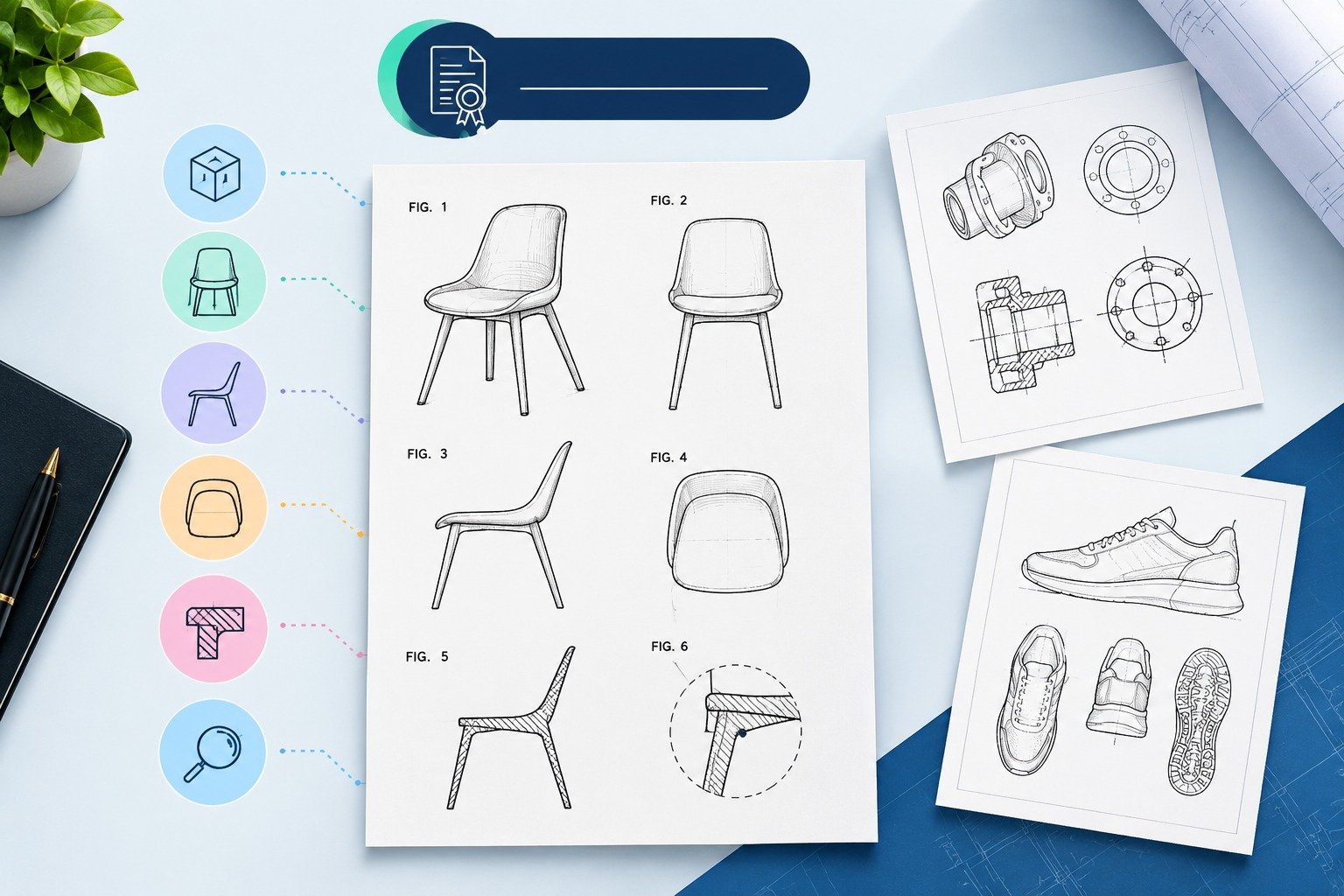
Drawings
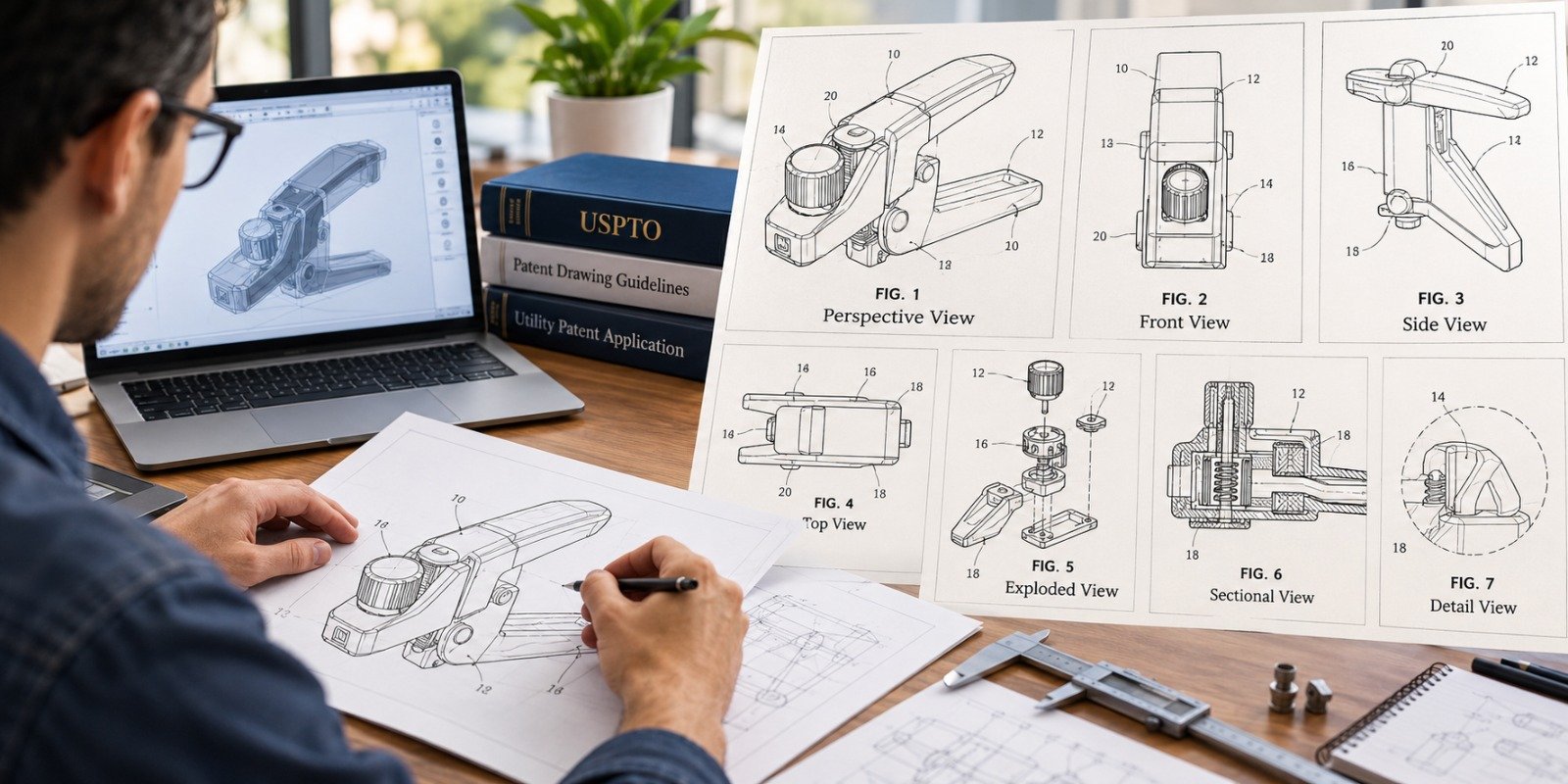
Sometimes, patent drawings will indicate similarities much faster than text.
Consider:
General structure
Arrangement of the components
Mechanism
Internal relationship
Moving components
This section describes how the invention functions and the relationship between the components.
Claims
They are particularly significant as they indicate the legal scope which is being sought or is granted.
The product may have a similar appearance, but use completely different claimed components.
References Cited
Similar patents will direct you to more early patents.
This forms a good search path.
It has been stated by the USPTO that one should analyze the drawings, specification and claims of the similar patents.
Innovations can be considered improvements of already existing products.
Therefore, it is necessary to perform a search throughout the whole category of products in question; however, thousands of unimportant results might come up.
Concentrate on the element that distinguishes the invention from other similar products.
Imagine that you have invented a suitcase with an automatic retracting wheel system.
Instead of only searching:
retractable suitcase
try:
Automatically retracting wheels baggage
Wheel retracting mechanism
Rising action wheels assembly
Wheel automatically retracts
Wheel that can retract
The crucial invention could well not be “the suitcase.”
Rather it is the wheel mechanism.
Patent searches become much more effective when you identify and search the inventive concept separately from the overall product.
The key words can help, but they have some drawbacks.
Some inventions can be called differently by various inventors and those who prepare patents.
And it is here that the CPC search comes to help.
Each invention is categorized according to a certain topic of technology.
Find the patent that is relevant to your search.
Then make searches of other patents according to the same CPC classification or its derivatives.
It is suggested by USPTO to expand the search using CPC classification.
Consider two different patents that disclose similar devices.
One says,
"automatic locking assembly"
while the other refers to it as
"self-engaging retention device."
Keyword search alone might not make the connection between these two.
However, if both of them fall under the same CPC class, then classification search can establish the connection.
This is why, in most cases, good patent searches go beyond just keyword searching..
However, after discovering one highly relevant patent, do not hesitate.
Use it as a gateway to further documents.
Often, patents include backward citations, which are citations to other prior patents and publications.
Moreover, you can study further patents that cite the discovered document.
They are called forward citations.
USPTO suggests analyzing both cited references and patents citing the relevant document.
Thus, you can easily discover a whole technology family.
For example:
Relevant Patent A
↓
References Patent B
↓
Patent B references Patent C
↓
Further Patent D references Patent A
You can find documents, which you have never seen using keywords.
Google Patents can be another useful research tool, especially for preliminary searches.
Its advanced search functionality allows users to search fields including:
Title
Abstract
Claims
Full patent text
CPC classifications
Google Patents also supports Boolean-style searches and patent classification searching.
For example:
TI=(foldable helmet)
focuses on title results.
Or you might search specific technical phrases across broader document fields.
There are differences in interface, indexing, and searching between various databases.
What is hard to find through one search strategy can be easily found through another.
In the case of important inventions, depending on only one database and only one search strategy is not ideal.
An invention does not become irrelevant just because an earlier disclosure came from outside the United States.
Foreign patent publications may also be relevant prior art.
USPTO guidance specifically recommends broadening searches to include foreign patents. It also points users toward international resources such as Espacenet.
Depending on the invention and level of diligence required, you may want to search:
This matters especially in industries such as:
Your search should not automatically stop at the U.S. border.
Not all relevant prior art is a patent.
A technology may have been publicly disclosed through:
The USPTO guidelines take into account the non-patent literature as part of prior art search.
In some cases, this fact is very important indeed.
A scientific method could be described in a scholarly article prior to patent filing by anyone.
A mechanical idea could be described in an outdated manual.
Software features could be publicly disclosed on the Web.
That’s why the fact “I searched Google Patents, but I couldn’t find it” does not guarantee novelty of an invention..
It is nerve-wracking to find a patent that resembles your own invention.
However, resemblance by itself does not mean that your invention is already patented.
Ask the following questions:
Does it address the same issue?
The two gadgets may have identical designs, but they have different functions.
Is it made up of the same parts?
Consider the parts and how they are constructed.
Is it arranged in the same manner?
The arrangement might make a difference.
Does it work in the same way?
A similar design might indicate different working mechanisms.
Does it include your potentially novel element?
This question might be the most crucial one.
What do the claims really say?
Do not think that all illustrated features of a gadget are covered by the patent claims.
Claims of patents are relevant to determine the scope of patent.
A professional patent attorney or patent agent will help you understand patent claims and their significance for your invention.
Just because something similar exists does not necessarily imply that you have to drop your invention.
Rather, conduct a comparison of your invention in detail.
Think:
What is the difference?
Have you modified the structure?
Have you introduced any new mechanism?
Does your invention address a different problem?
Has it achieved a different technical outcome?
Is there any special feature that is not described in the earlier patent?
In some cases, some of the most commercially valuable inventions are modifications of existing technology.
The crucial factor is if your modification has patentable subject matter.
This is where a patentability search might help.
Just because:
“No one has patented this, so I definitely qualify.”
Patent searching can be tough.
You could simply be searching on the wrong terms.
The right patent could:
The USPTO’s search methodology even encourages spending considerable time learning how to do the search and noting the search terms, databases, dates, and results found.
A search without an apparent hit is valuable information, but it does not prove patentability..
Search for the Exact Name of the Product Only
Patent descriptions usually include technical terms rather than names of products.
One keyword cannot encompass all relevant keywords.
Prior art that is important could have a completely irrelevant title.
Drawings could be very similar but claims could tell a different story.
If one patent document is relevant then it will generate hundreds of other documents.
Other foreign patents could be relevant as well.
Any other technical disclosures could also be prior art.
Patentability depends on much more than your personal search results.
While these terms are commonly used interchangeably, there is a major difference between them in practice.
The initial patent search could be limited to searching for similar patents and patent applications published.
The advanced patentability or prior art search is primarily aimed at finding publications that could affect the novelty and obviousness of an invention.
The advanced search could include the following:
For the inventor who intends to spend considerable funds on patent preparation, prototype creation or manufacturing, the more extensive search will help to get some valuable information beforehand.
But these diagrams are also useful in searching for patents.
They could give you an idea of what needs to be searched.
Let’s say the inventor has described a mechanical system verbally.
You will have a hard time figuring out:
What part is new
How the parts interact with each other
What sets this invention apart
Preparing good-quality drawings could simplify your task.
Professional patent drawings could show you:
At The Patent Experts, we work with inventors to prepare professional patent drawings and illustrations based on sketches, photos, CADs, prototypes, and technical specifications.
If the invention is clear enough, it would be easy to compare it with prior art.
There is nothing wrong in beginning a patent search on your own.
USPTO has free search databases as well as training materials available to the general public for searching patents.
But professional help can be sought in the following cases:
USPTO even recommends consulting patent attorneys and agents for getting through the process of patenting.
Before deciding your search is complete, make sure you have:
Developed a detailed description of your invention
Identified potential new characteristics of your invention
Generated synonyms list
Conducted searches in USPTO Patent Public Search
Experimented with different keywords combinations
Examined the abstracts
Looked into the drawings
Analyzed claims
Analyzed CPC codes
Checked backward citations
Checked forward citations
Searches on Google Patents
Foreign patents
Non-Patent Literature
Downloaded relevant documents
Logged your search queries and outcomes
If you skipped several of these steps, your search may still be too narrow.
If you believe that you have created something new, doing a patent search is one of the best things you can do at this stage.
First, try the USPTO Patent Public Search, search on a range of keywords, examine relevant patents in depth, trace classifications and references, and even extend your search to international patents and non-patent literature when necessary.
In particular, do not limit yourself to searching for the exact copy of your invention.
Search for similar technical concepts, constructions, mechanisms, and features.
Careful search may allow you to get a good overview of the current technology landscape and thus make more informed decisions.
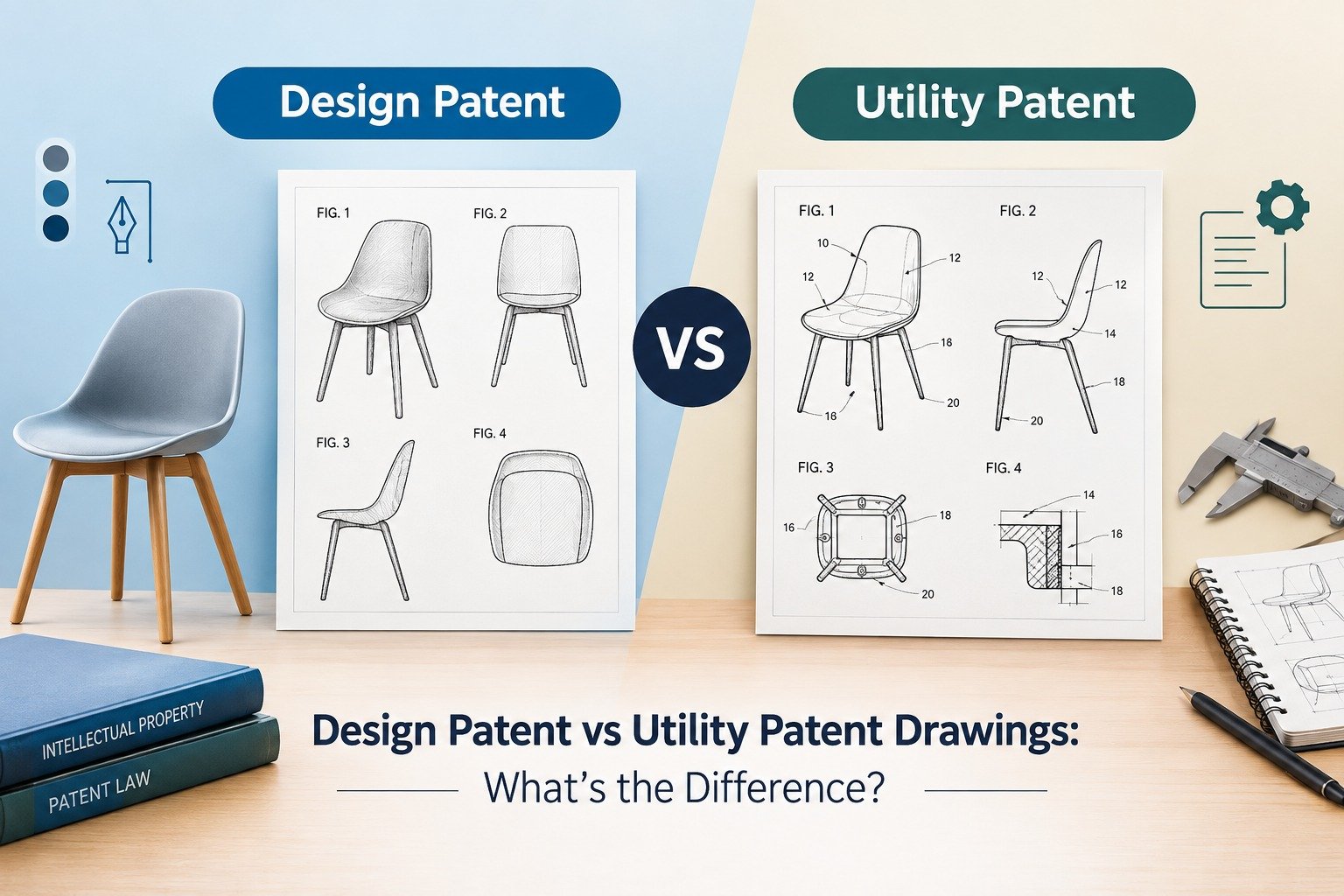
If you want to get professional patent drawings done for your invention, whether it be utility patent illustrations or design patent drawings, The Patent Experts can help create patent-ready drawings from your sketches, CAD drawings, photos, or other materials.
Use USPTO Patent Public Search and enter words to describe your invention and its functionality and components. Study similar patents, claims, drawings, CPC class, references.
Yes. USPTO Patent Public Search is accessible to the public and allows viewing US patents and published patent applications. Another patent database you may consider is Google Patents.
USPTO Patent Public Search database is the official USPTO resource to check U.S. patents. You can also use Google Patents for preliminary research.
If there is a similar patent, is there no way to patent my invention?
It is not always the case, and your invention may have different features, structure, function, and improvements which may be enough for obtaining a patent.
This does not mean that there are no relevant prior arts. They may be described in foreign languages, be filed in another patent, be classified differently, and so on.
According to the USPTO, it is not necessary to do so but recommended.
Try to enter keywords describing your product, its function, components, technical task, and some novel aspects if any. You should create alternative synonyms for these keywords too.
Cooperative Patent Classification categorizes patent documents based on the subject area. Searching for relevant CPC classes will allow finding similar inventions described using different words.
Google search may be helpful but not enough. Patent databases, classifications, references, foreign documents, and non-patent literature are the tools for the proper patent search.
Sure. If you want to continue working on a patent application, we will be glad to help with utility patent drawings, design patent drawings, exploded views, sectional views, etc.
This article is for general informational purposes only and does not constitute legal advice. Patentability and infringement questions should be discussed with a qualified patent attorney or patent agent.

At “The Patent Experts” our team specialises in turning complex concept and ideas into exact complaint patent drawings that meet the stringent guidelines of USPTO, EPO, WIPO among other major patent offices around the globe. With over 5+ years of experience, our team of skilled illustrators are efficient in producing high quality utility designs and trademark patent drawings. By combining cutting-edge technology with a deep understanding of global patent regulations, we ensure every drawing we create is ready for seamless submission and approval.
Quicks Links
Get in touch
Our phone number
Our email address
© 2026 The Patent Expert's All Rights Reserve
Made with ♥ by Website99